 Beehive Cluster
Everything in the hive.
The full tour: what runs on your Mac, what goes to the cloud and when, and the tools for coding agents and devices.
Local first.
A built-in engine runs open models on your Mac. Local chats stay on your computer and keep working offline.
Built-in engines
Chat and image engines come inside the app. There is no extra software to install.
Models that fit
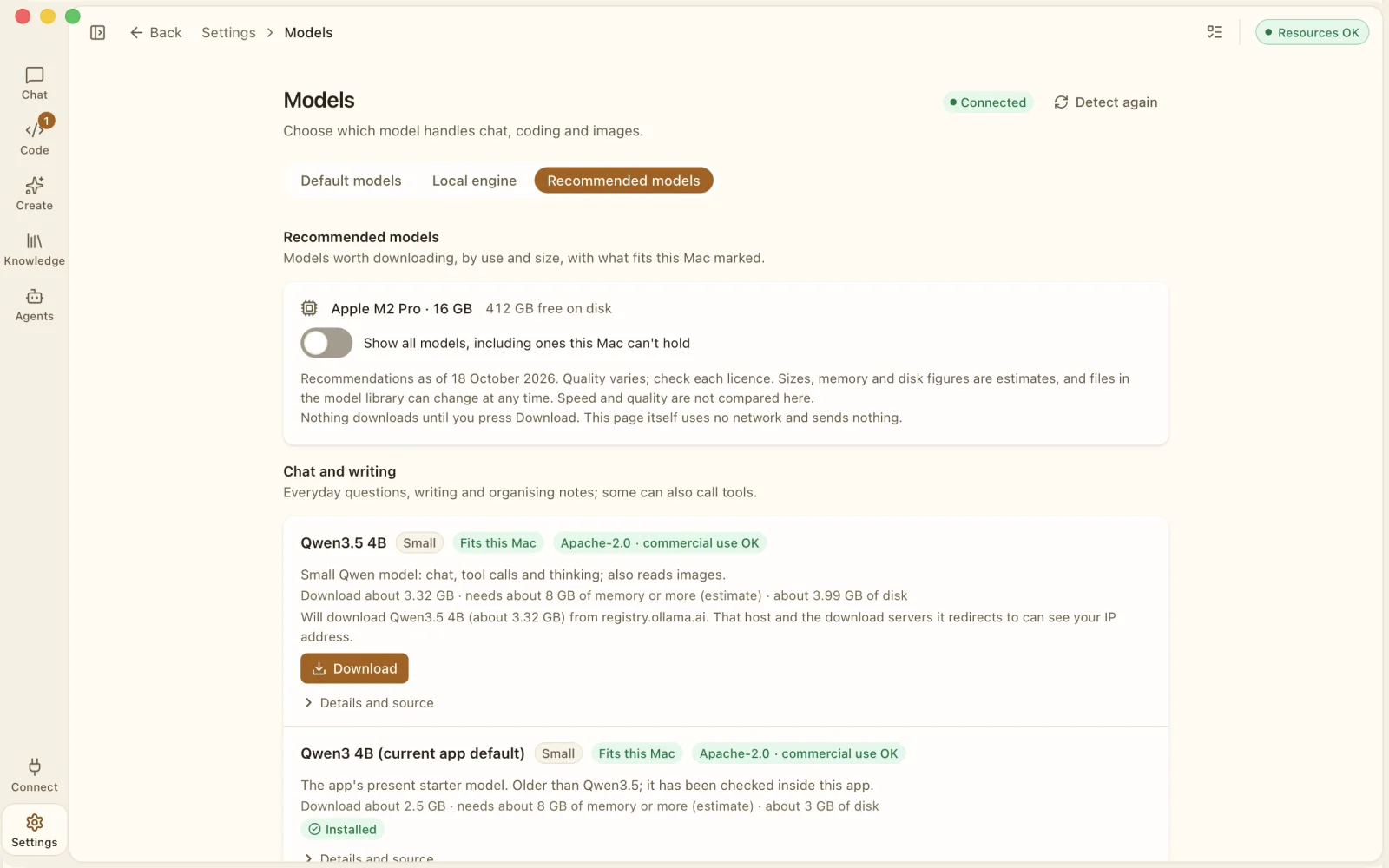
Recommended models checks your chip, memory and free disk space, marks what should fit and shows each model's licence.
Downloads only when you ask
Next to every Download button the app names the host and the size. Nothing downloads until you press it.
Works offline
Once a model is on your Mac, local chats need no connection.
Images made on your Mac
Generate pictures locally. Local image generation needs about 9 GB more disk space.
Dictation and transcription
Speak to type, or add audio and video to a chat. Speech becomes text on your Mac, or on a speech server you added yourself.
Cloud, when you choose.
Add the cloud models you already pay for. The app asks before the first send to each destination and keeps a receipt for every reply.
Your own API keys
OpenAI, Anthropic, Google Gemini, DeepSeek, OpenRouter, MiniMax and other compatible services.
Keys in the Keychain
Stored in the macOS Keychain on your Mac, never in files or logs.
Asks once per destination
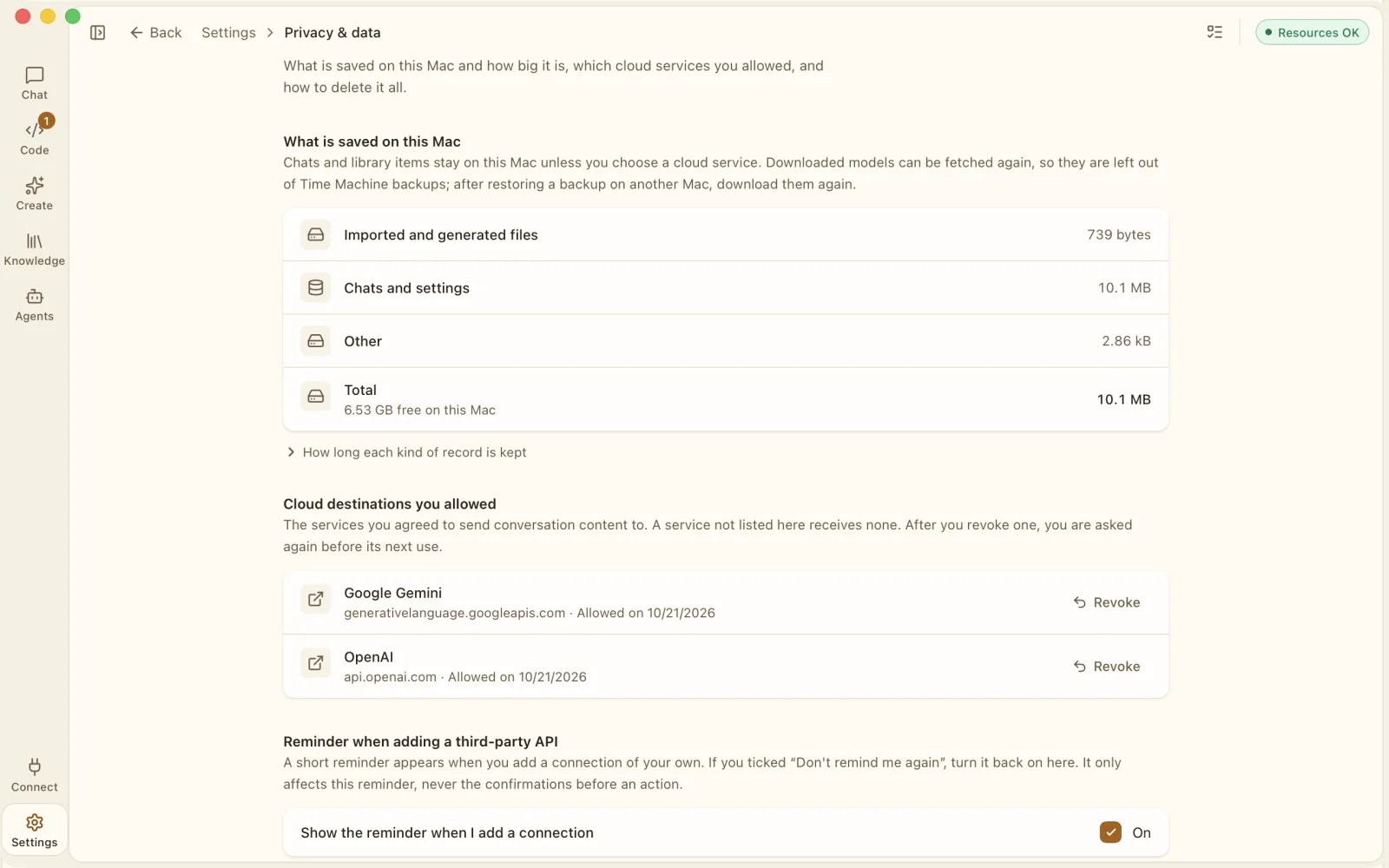
A consent card names where the content goes before the first send. Nothing goes before you allow it.
Receipts
Every cloud reply keeps a record of what was sent, to whom and when.
Revoke at any time
Settings, Privacy and data lists every destination you allowed, each with a Revoke button.
Web pages, site by site
When a model wants to read a web page, the app asks first and tells you the site will see your IP address.
Know what it costs.
Every reply shows the model, where it ran, the tokens and an estimated cost from the prices you set.
Cost per reply
Estimated from your prices. A cloud reply shows No price until you set one.
Cost per chat
The cost panel adds it up: what was spent, local against cloud replies, and the savings as a range.
Savings Auto
Pairs a model on your Mac with a cloud model and gives the simpler work to the local one.
Limits and a budget
Set token limits per API connection and a monthly budget.
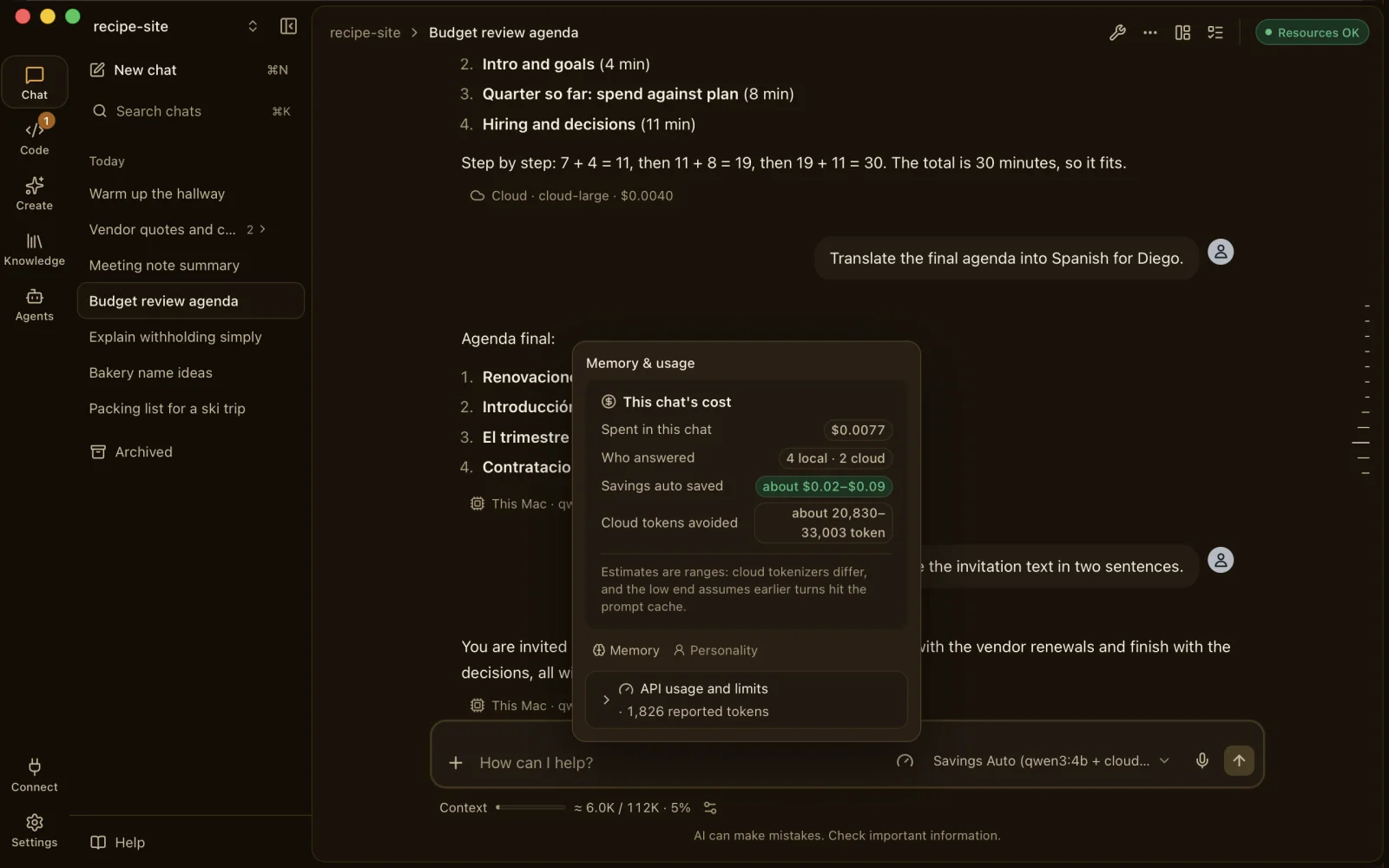
Estimates, not promises. Cost and savings figures are estimates from the prices you enter. Your provider's bill is what counts.
A review desk for coding agents.
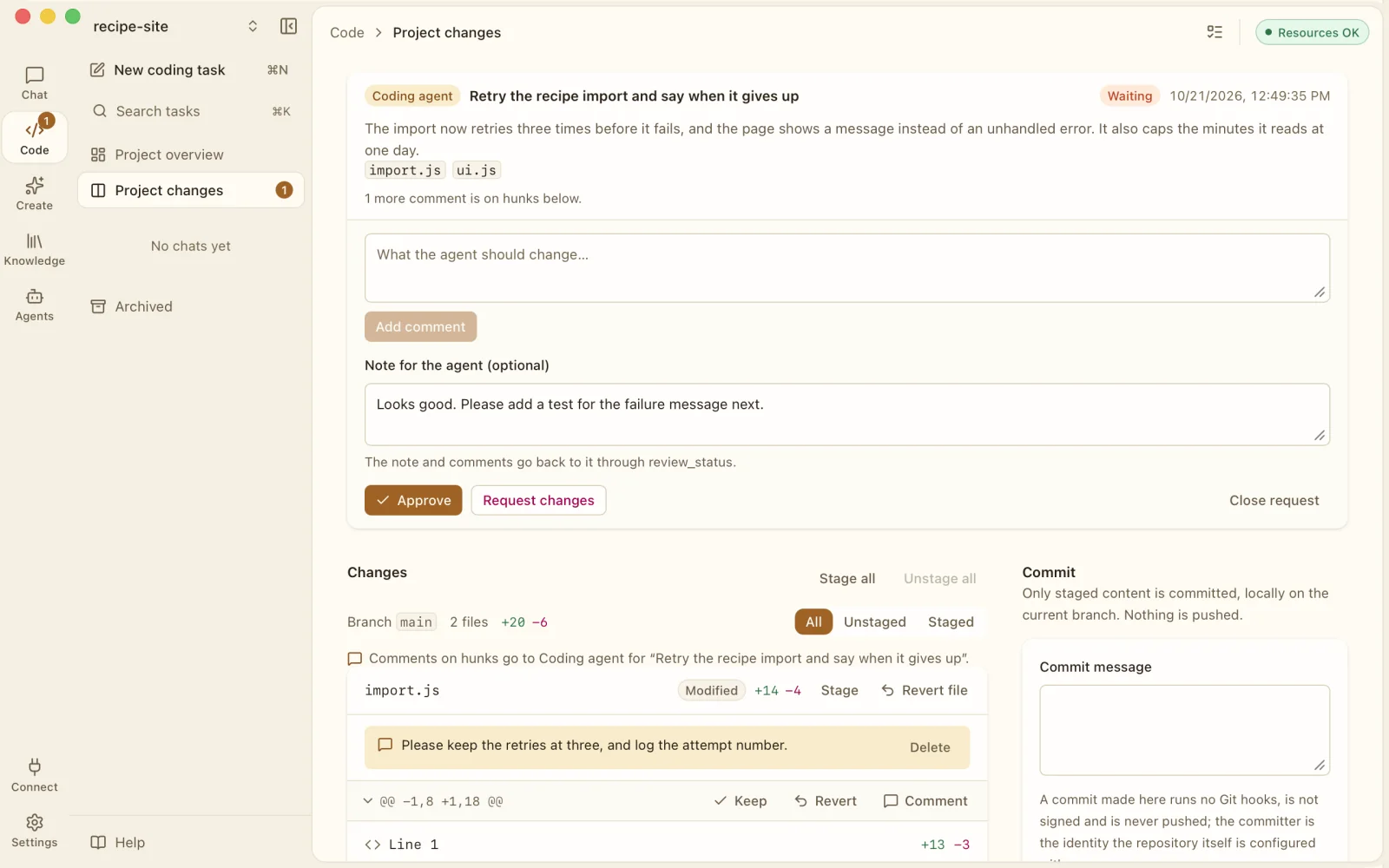
Bring Claude Code or Codex CLI with your own account, and review everything they change in one place.
Connect in one paste
Press Copy for my agent, paste it into your agent and allow it when the app asks. The pairing code is valid for five minutes.
Review requests
Read the diff, keep or revert each hunk, comment on a line, request changes or approve.
Built-in coding tasks
The app's own tasks work in an isolated copy of your Git project, with diffs, snapshots and undo. Nothing changes until you apply it.
Handoff brief
Out of quota? Generate a brief of the current work on your Mac and copy it into another agent. No file contents, no secrets.
Read files for less
Hooks and MCP tools let an agent read pictures, PDFs, recordings and mail exports in your project on your Mac first. Web pages only from sites you allow.
Local endpoint
Off by default, reachable from this Mac only. Each connected agent gets its own key.
Where it can't help. The token tools act only when an agent reads a file through its tools or uses this app's MCP tools. A picture pasted straight into an agent's prompt box, or uploaded to a chat website, can't be intercepted. Codex CLI may ask you to approve a step outside its sandbox.
Split big jobs. Merge the answers.
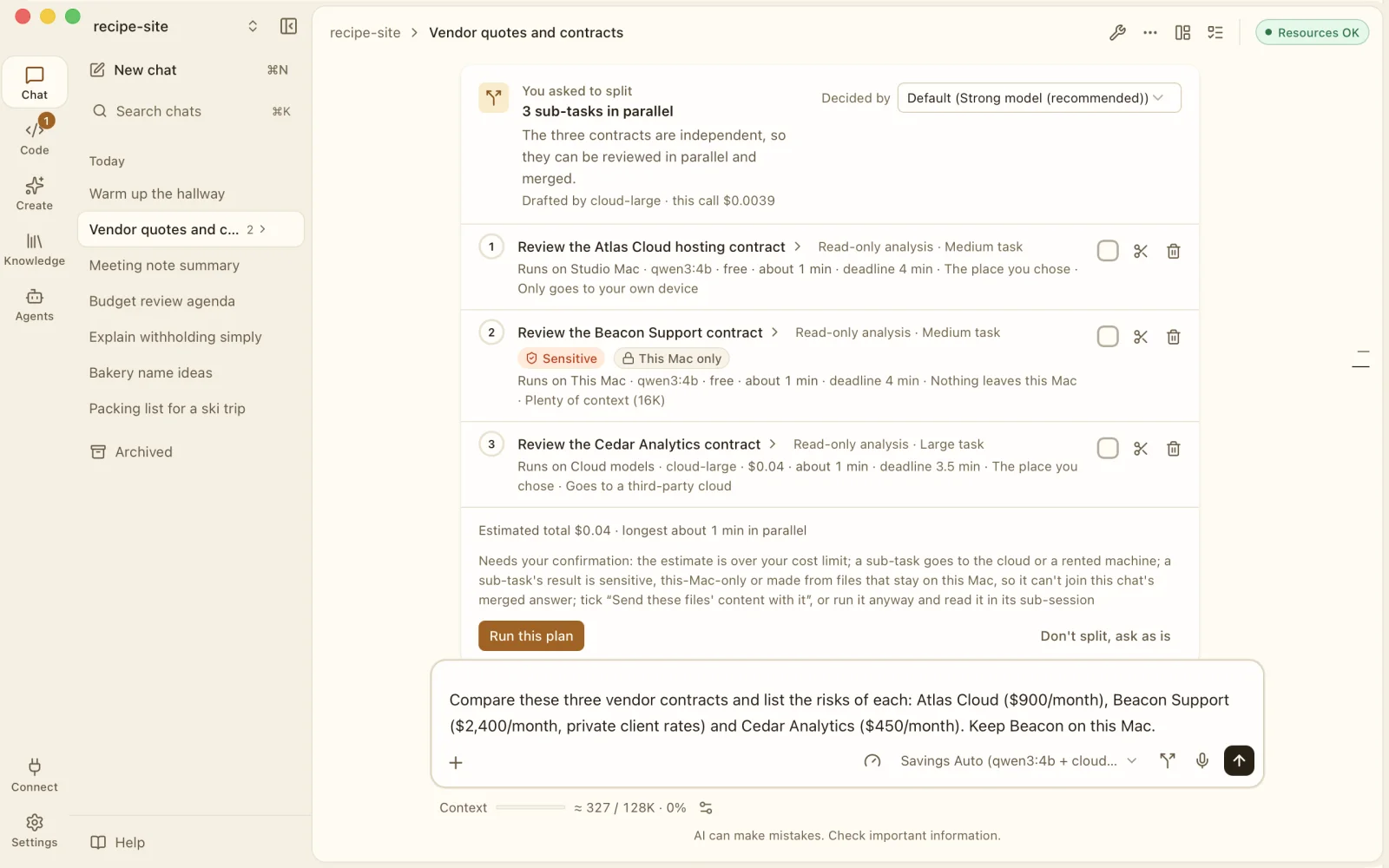
Break one request into parts, run them side by side, and get one answer back with its receipt.
Run side by side
On this Mac, a paired Mac, your own server or the cloud, then merged into one reply.
Sensitive stays local
Mark a sub-task Sensitive and it runs on this Mac only.
See it before you run it
Each plan shows where every part runs, an estimated total and the longest wait, before you press Run this plan.
Team discussion
One lead model breaks the task down while several local models work at once. A cloud lead needs your own API key and your consent.
Batch jobs
Hand a folder of files to local models one by one, for example pulling names and years of experience from a stack of CVs.
Devices, camera and gestures.
Optional, and off until you turn it on. Every action has a risk level, and the ones that matter are never handed to AI.
Never by AI
Door locks and similar actions are marked Never by AI. No model can run them.
Approve each action
When AI asks, it runs only if you click Approve. Ask for confirmation every time if you like; every action is logged.
Approve from your phone
Remote approval by Telegram, ntfy or an approval page. Never-by-AI actions can only be denied remotely.
A camera you can see
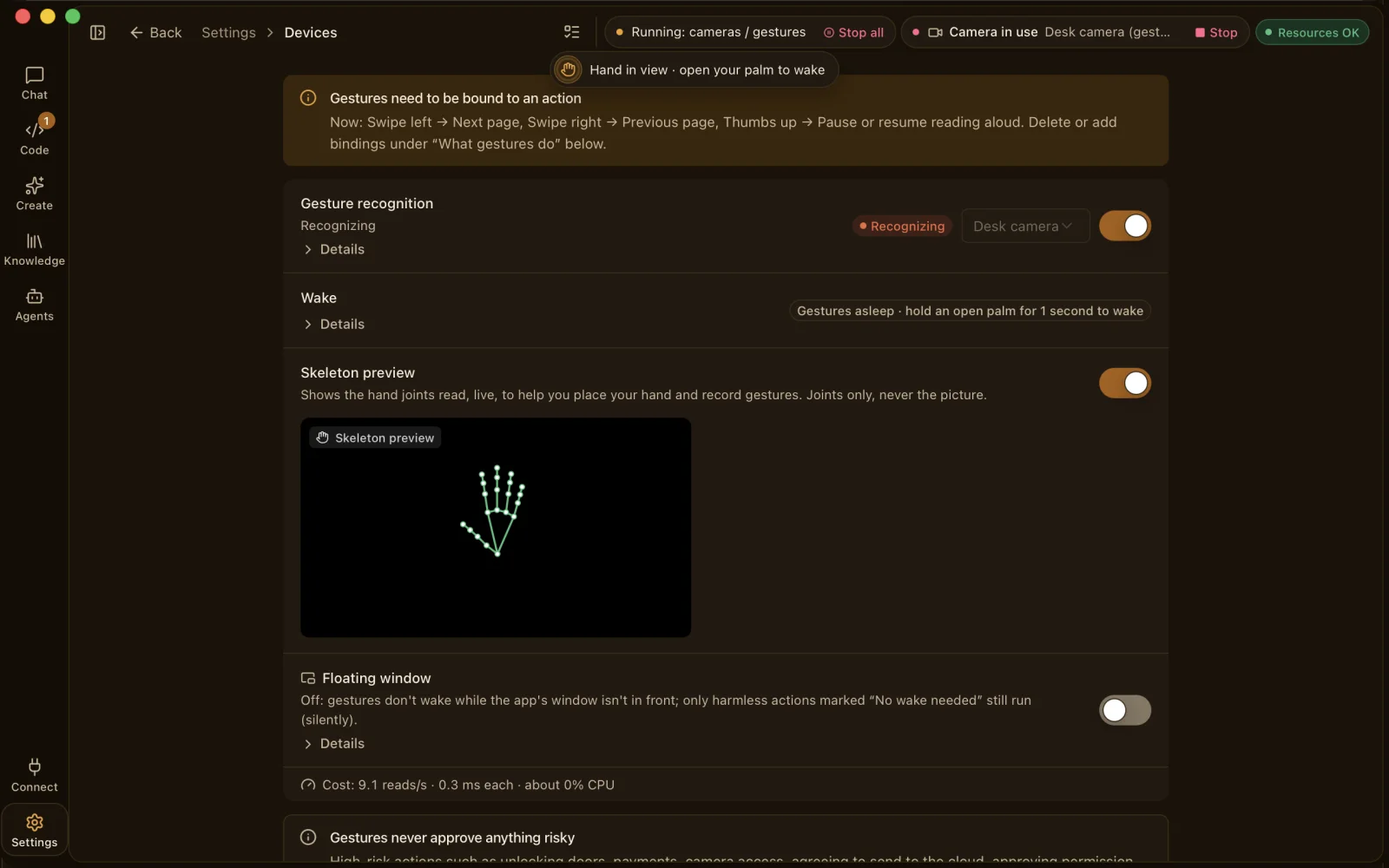
Runs only when you turn it on, with Camera in use and a Stop button. Pictures are processed in memory.
Hand gestures
Bind gestures to the actions you choose. The preview shows hand joints, never the picture.
Your own home setup
Home Assistant, MQTT, Shelly, Tasmota, Philips Hue and more, reached on your own network.
Experimental, off by default: smart-home and industrial devices, remote screen, video generation and your own servers.
Memory you can see.
What the app remembers is visible, yours to undo, and stored on your Mac.
Visible memory
Under each reply, Used N memories. Open it to see which ones and an estimated token count, or skip memory for the next turn.
Automatic memory, off by default
When on, it saves a short preference without asking only when you typed it yourself. Undo any of them; sensitive-looking items still ask (best effort).
Library
Documents (.docx, .xlsx, .pptx, PDF), generated images and imported chats in one place.
Export it all
One zip of Markdown conversations and memory. No keys or settings inside.
Chat import
Bring in the conversations you exported from other chat apps.
Assistant personality
Name the assistant and describe the tone you like. It changes the voice, never the consent or permission rules.
And more.
The small things that make it yours.
Nine languages
English, Chinese (Simplified and Traditional), Japanese, Korean, French, German, Spanish and Arabic, right to left.
Panes
Keep several conversations open side by side.
Scheduled automations
Run steps on a schedule. A decision step uses the model you pick and stops with a reason if it can't answer.
Telegram chatbot
Optional: talk to your hive from Telegram. Messages pass through Telegram's servers.
Report button
Every reply and generated image has a Report action.
No account, no ads
No sign-up, no analytics and nothing about you collected.
Requirements
- Mac
- Apple silicon, macOS 14 or later.
- Memory
- 16 GB at least, 32 GB recommended.
- Storage
- App about 1 GB. Local models about 0.5 to 2.6 GB each. Local image generation about 9 GB more.
- Cloud
- Optional. Your own account and API key; the provider bills you.
- Price
- US$19.99, one-time purchase on the Mac App Store.
- Age
- For adults (18+). AI models can make mistakes or produce inappropriate content.